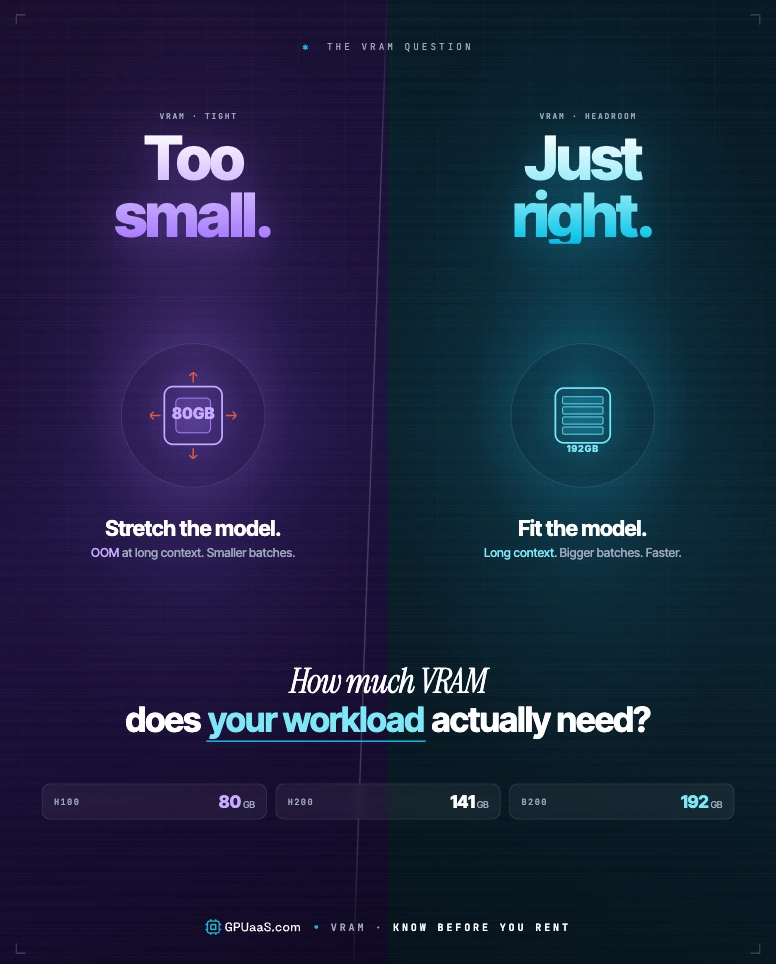
VRAM is the hard limit on every LLM workload. A 70B parameter model at BF16 needs ~140 GB of GPU memory, and no amount of compute fixes a capacity shortfall.
- A 70B model at BF16 needs ~140 GB VRAM for weights alone, which fills one H200 SXM (141 GB HBM3e) with almost no headroom to spare
- KV cache is the hidden cost: at 128K context, the cache for a 70B model at FP16 hits ~42.9 GB per concurrent user, on top of model weights (NVIDIA, 2025)
- The H200 SXM has 76% more VRAM than the H100 SXM (141 GB vs 80 GB) at 4.8 TB/s bandwidth and the same 700W TDP (Tom's Hardware, 2023)
- FP8 quantisation cuts VRAM in half with minimal accuracy loss; INT4 cuts by 75% but hurts reasoning tasks
- An 8xH200 SXM NVLink cluster gives you 1,128 GB combined VRAM, enough for Llama 3 405B at BF16 with a 32K context window. H200 on GPUaaS.com starts at $3.50/GPU/hr (GPUaaS.com, May 2026)
When an ML engineer says their job OOM'd, one thing caused it: the model, its activations, and the KV cache together blew past available VRAM. That single number -- how many gigabytes your GPU has -- decides which models load, at what batch size, and at what context length. Read on for the maths and what it means for your hardware choice.
For a live view of clusters sorted by VRAM capacity, see the GPUaaS.com cluster catalogue.
VRAM is dedicated high-bandwidth memory sitting on the GPU die. System RAM (DDR5 on modern servers) runs at roughly 50-100 GB/s. GPU VRAM uses stacked HBM architecture built directly on top of the compute die and runs at a completely different level. The H200 SXM reads memory at 4.8 TB/s, around 60x faster than server DDR5. That matters because transformer attention is memory-bandwidth bound during inference. Every token generation step has to stream the full set of model weights through the GPU's compute units, so bandwidth is what determines speed.
You can technically hold model weights in system RAM using CPU offloading (llama.cpp does this), but bandwidth drops to ~50 GB/s and inference slows by 30-100x. For any production workload, all model weights need to be in VRAM.
Model weight memory is the floor -- the VRAM you need before the model loads, before a single token is generated. The formula is simple: parameters multiplied by bytes per parameter for your chosen precision. The baseline is ~2 GB per 1B parameters at FP16, with FP8 cutting that in half and INT4 cutting it by 75%.
Formula
VRAM for weights = parameters x bytes per parameter
FP32 = 4 B/param · BF16/FP16 = 2 B/param · INT8/FP8 = 1 B/param · INT4/FP4 = 0.5 B/param
VRAM required for model weights only (BF16 precision)
These are weights-only numbers. In a real deployment, activations, PyTorch overhead (~10-20%), and KV cache headroom add another 20-30% on top. Use the weight figure as your floor, not your allocation target.
GPUaaS.com infrastructure data: Llama 3.1 70B at BF16 with a 4,096-token context window and batch size of 8 needs about 165 GB total VRAM, which is 18% above the weight-only figure.
The KV (key-value) cache saves attention computations from earlier tokens so the model doesn't redo them on every generation step. That's what makes autoregressive inference fast enough to use in production. The tradeoff is memory: KV cache consumption scales with batch size x context length x model depth. At 4K tokens it's a rounding error. At 128K tokens it can outweigh the model weights themselves.
~42.9 GB
KV cache for Llama 3.1 70B at BF16, 128K context, 1 concurrent user
NVIDIA inference optimisation guide · 2025
The formula, per NVIDIA's inference optimisation guide: 2 x num_layers x num_kv_heads x head_dim x seq_len x batch_size x bytes_per_element. For Llama 3.1 70B (80 layers, 8 KV heads, 128 head dim) at BF16 with 128K context and 1 user: 2 x 80 x 8 x 128 x 131072 x 1 x 2 bytes = ~42.9 GB. Multiply by concurrent users for your total KV cache budget. For a full breakdown of how to optimise that budget, see the KV cache inference cost guide.
⚠ Watch out
KV cache grows linearly with batch size. A batch of 16 at 4,096 tokens uses 16x the single-user figure. Most production OOMs come from underestimating KV cache at real batch sizes, not from the weight calculation.
| Context length | KV cache (70B BF16, batch=1) | Fits on single H200 + weights? |
|---|---|---|
| 4K tokens | ~1.3 GB | ✓ Yes, ample headroom |
| 32K tokens | ~10.7 GB | ✓ Yes, tight but workable |
| 128K tokens | ~42.9 GB | ✗ No, 140+43 = 183 GB |
NVIDIA's data-centre lineup runs from 80 GB to 192 GB per chip, with memory bandwidth between 2 TB/s and 8 TB/s. The right pick depends on model size, context length, and whether you need everything on one GPU or can spread across multiple. All specs below are SXM form factor, the interconnected variant used in 8-GPU cluster nodes.
| Spec | A100 SXM | H100 SXM | H200 SXM | B200 SXM |
|---|---|---|---|---|
| VRAM | 80 GB HBM2e | 80 GB HBM3 | 141 GB HBM3e | 192 GB HBM3e |
| Memory BW | 2.0 TB/s | 3.35 TB/s | 4.8 TB/s | 8.0 TB/s |
| FP8 TFLOPS | N/A | 1,979 | 1,979 | 4,500 |
| 70B fits (BF16)? | ✗ 2x needed | ✗ 2x needed | ✓ Yes (tight) | ✓ Yes + headroom |
| Price/GPU/hr | from $1.20 | from $1.49 | from $3.50 | from $4.99 |
The H200's 76% VRAM bump over the H100 at the same 700W TDP is the most practical single-GPU upgrade for 70B+ serving. You drop the multi-GPU overhead without changing your rack or cooling setup. See H200 clusters on GPUaaS.com from $3.50/GPU/hr.
The H200 SXM has 76% more VRAM than the H100 (141 GB vs 80 GB) and 43% more memory bandwidth (4.8 TB/s vs 3.35 TB/s) at the same 700W TDP. For 70B+ model serving, that's the difference between one GPU and two. Source: Tom's Hardware H200 announcement.
Quantisation lowers parameter precision and cuts weight VRAM in proportion. A 70B model at BF16 (~140 GB) drops to ~70 GB at INT8, which now fits a single H100 SXM (80 GB) with 10 GB left for activations and short-context KV cache. Q4 quantisation cuts VRAM by 75%, bringing 70B models within reach of consumer GPUs at the cost of accuracy.
FP8 -- 50% VRAM reduction
Native on H100, H200, B200. Minimal accuracy loss on standard LLM benchmarks. The default starting point for inference on data-centre GPUs.
INT8 (GPTQ / AWQ) -- 50% reduction
Works on A100 hardware too. Slightly wider accuracy gap than FP8, depending on calibration data. Widely supported in vLLM and TGI.
INT4 (GGUF / AWQ) -- 75% reduction
Gets 70B onto a single H100 (80 GB). There's a real accuracy drop on reasoning tasks, so it's not the right call for production API serving.
FP4 (B200 native) -- 75% reduction
B200 Blackwell only. NVIDIA reports less than 2% accuracy loss vs BF16 on Llama 3.1 70B using the B200 FP4 inference engine.
⚡ Note
Activations don't quantise. They stay in higher precision during compute. For QLoRA fine-tuning, activations and gradient accumulators add another 15-40% on top of the quantised weight footprint.
When a model won't fit on one GPU, you have two main options. Tensor parallelism splits weight matrices horizontally across GPUs, handled by vLLM, TensorRT-LLM, or DeepSpeed. Pipeline parallelism puts different model layers on different devices. Both approaches need fast interconnect or they become communication-bound.
NVLink on H200 SXM delivers 900 GB/s per GPU. PCIe Gen5 delivers ~128 GB/s. That 7x gap is why PCIe-only multi-GPU nodes rarely make sense for LLM tensor parallelism past 2 GPUs.
Rule of thumb
On an 8xH200 SXM NVLink cluster, a 70B BF16 model scales to about 7.5x single-GPU throughput under tensor parallelism. On PCIe-only nodes, you're looking at 3-4x. Use SXM for tensor-parallel workloads above 2 GPUs.
An 8xH200 SXM cluster gives you 1,128 GB combined VRAM, enough to serve Llama 3 405B at BF16 with room for a 32K context window. Check H200 cluster options on GPUaaS.com from $3.50/GPU/hr, or the B200 cluster page for 192 GB per GPU.
GPUaaS.com infrastructure data: teams running Llama 3 405B in production on 8xH200 NVLink clusters see 85-92% VRAM utilisation efficiency under tensor parallelism with vLLM 0.4.x.
Last reviewed: May 26, 2026. Ready to size a cluster? Here's how GPUaaS.com works. For GPU clusters by VRAM capacity, visit the GPUaaS.com cluster catalogue.