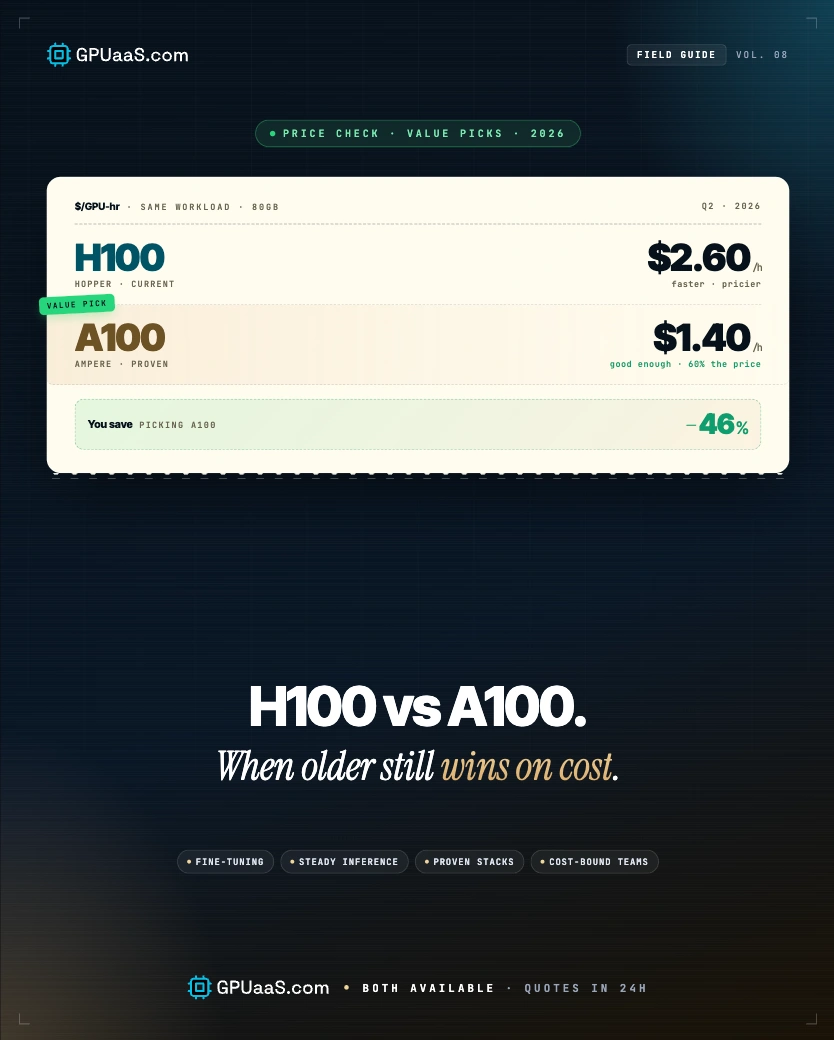
The H100 is faster than the A100 on every benchmark that matters for LLM work. But faster doesn't mean cheaper per job, and for a significant set of workloads in 2026, the A100 at $1.20/GPU/hr still delivers a lower total cost than the H100 at $1.49/GPU/hr. This guide tells you exactly which side of that line your workload sits on.
- H100 and A100 both carry 80 GB of VRAM. The H100 uses HBM3 at 3.35 TB/s vs the A100's HBM2e at 2.0 TB/s, a 64% bandwidth advantage that drives most real-world performance differences (NVIDIA)
- H100 delivers 2–4x faster LLM inference than A100 in real-world serving. On FP8-optimised workloads, the gap can reach 10x+, but that requires Hopper-specific kernels and framework support
- A100 on GPUaaS.com starts at $1.20/GPU/hr on-demand vs H100 at $1.49/GPU/hr, a 24% hourly premium for H100. For workloads where H100 is only 1.3–1.5x faster, the A100 wins on cost-per-job
- A100 has no native FP8 support. BF16 is the practical precision ceiling. Teams on CUDA 11.x, TensorFlow 2.x, or older PyTorch without Hopper kernels see identical performance on both GPUs
- The A100 wins on cost for: sub-30B inference at INT8, QLoRA fine-tuning up to 70B, batch jobs without latency SLAs, legacy stacks, and MIG-partitioned multi-tenant inference
Most GPU comparison guides reach the same conclusion: H100 wins, upgrade now. That's the right call for production inference serving high-traffic applications. It's the wrong call for research teams fine-tuning 13B models twice a week, batch jobs that run overnight, or anyone on a CUDA stack that doesn't expose Hopper's FP8 kernels. This guide does the maths on both sides.
For VRAM sizing on either GPU, see the VRAM guide. For the H100 vs H200 decision, see the H200 vs H100 rental guide. For cluster options, see the GPUaaS.com cluster catalogue.
The A100 (Ampere, 2020) and H100 (Hopper, 2022) are two generations apart. The headline VRAM is identical at 80 GB on the SXM variants, but the memory type, bandwidth, compute architecture, and precision support are all meaningfully different. The differences that matter most in practice are bandwidth and FP8.
| Spec | A100 SXM4 | H100 SXM5 | Impact |
|---|---|---|---|
| Architecture | Ampere (GA100) | Hopper (GH100) | Different architecture |
| VRAM | 80 GB HBM2e | 80 GB HBM3 | Identical capacity, faster type |
| Memory bandwidth | 2.0 TB/s | 3.35 TB/s | +64%, primary inference speedup |
| FP8 support | No | Yes (Transformer Engine) | Doubles throughput on FP8 workloads |
| BF16 TFLOPS | 312 | 989 | 3.2x compute advantage |
| FP8 TFLOPS | N/A | 1,979 | H100-only; A100 tops out at BF16 |
| NVLink bandwidth | 600 GB/s | 900 GB/s | +50% multi-GPU communication |
| TDP | 400W | 700W | H100 draws 75% more power |
| MIG partitions | 7 | 7 | Identical MIG support |
| Price/GPU/hr (GPUaaS.com) | from $1.20 | from $1.49 | 24% H100 premium hourly |
The key insight
The VRAM is the same. The A100's bottleneck is bandwidth (2.0 TB/s vs 3.35 TB/s) and the hard ceiling of BF16, no FP8, no Transformer Engine. For workloads that don't need FP8 and don't saturate the bandwidth ceiling, A100 and H100 land closer than the spec sheet suggests.
For LLM inference on Llama 3 70B, H100 delivers roughly 250–300 tokens/sec with TensorRT-LLM and FP8 optimisation. A100 at BF16 lands at ~130 tokens/sec on the same model, a roughly 2x gap. That gap is real and it compounds at scale. But it's also specific to large-model, production-serving scenarios with optimised runtimes.
For a 13B model at INT8, the gap narrows significantly. Both GPUs fit the model in 80 GB. The A100's lower bandwidth costs you some throughput, but when your target is 200 tok/s for a development API, neither GPU is the bottleneck. The limiting factor becomes what you're paying per hour, not what the hardware can do.
Where H100 wins clearly
- FP8-optimised inference (vLLM 0.4+, TensorRT-LLM 0.10+)
- High-traffic real-time serving with sub-100ms latency SLAs
- Pre-training or continued pre-training on 70B+ models
- Large batch inference where bandwidth saturates the A100
- Teams fully on PyTorch 2.1+ with Hopper kernel support
Where A100 matches or beats H100 on cost
- Sub-30B inference at INT8 where throughput target is modest
- QLoRA fine-tuning on models up to 70B (adapter fits in 80 GB)
- Overnight batch jobs without latency SLAs
- Older CUDA stacks (11.x) without Hopper kernel support
- MIG-partitioned multi-tenant inference at 7 partitions
Llama 3 70B inference throughput, tokens per second (single GPU, TensorRT-LLM)
Representative throughput figures. Actual results vary with batch size, context length, and framework version. Source: Cudo Compute benchmarks.
⚡ The BF16 comparison is the honest one
When people quote 10x or 30x H100 vs A100 gains, they're comparing H100 FP8 against A100 BF16. That's comparing a GPU running its native precision against a GPU that can't. The like-for-like comparison, H100 BF16 vs A100 BF16, is closer to 1.5x–2x. Know which comparison is relevant for your actual stack before you upgrade.
For Llama 3 70B inference at BF16, H100 delivers roughly 130–150 tokens per second more than A100 on the same framework stack, a 1.5x–2x real-world gap that narrows further on sub-30B models. Source: Tom's Hardware.
Hourly rate isn't the right metric. Cost per completed job is. A100 at $1.20/hr is cheaper per hour, but if H100 finishes the same job in half the time, the H100 costs less in total. The crossover depends on how large the actual speedup is for your specific workload.
The break-even formula
A100 wins on total cost when: A100 hours × $1.20 < H100 hours × $1.49. Equivalently, H100 needs to finish the job in under 80.5% of the A100 time, a 1.24x speedup minimum, to be cheaper in total. Below that threshold, stick with A100.
| Workload | H100 speedup | Cost-per-job winner | Why |
|---|---|---|---|
| 70B inference, H100 FP8 vs A100 BF16 | ~3–4x | H100 | 3–4x speedup more than offsets 24% hourly premium |
| 70B inference, H100 BF16 vs A100 BF16 | ~1.5–2x | H100 | 1.5x+ still clears the 1.24x break-even |
| 13B inference, INT8, modest throughput | ~1.2–1.3x | A100 | Speedup below 1.24x break-even; A100 cheaper per job |
| QLoRA fine-tuning, 13B–70B | ~1.3–1.5x | A100 | Marginal speedup; A100 saves ~15–20% on total job cost |
| Pre-training, 70B+ BF16/FP8 | ~3–5x | H100 | Transformer Engine + FP8 compounds over millions of steps |
| Overnight batch inference (no SLA) | ~2x | A100 | If job can run overnight, finishing 2x faster has no value; save the hourly cost |
| Legacy CUDA 11.x stack (no Hopper kernels) | ~1.0–1.1x | A100 | Without Hopper kernels, H100 offers almost no advantage |
⚠ The overnight batch trap
H100 finishing a batch job twice as fast matters if you're time-constrained. If you're running overnight anyway, finishing at 2am vs 4am has zero business value. Don't pay the H100 premium for speed you don't need.
GPUaaS.com infrastructure data: teams running QLoRA fine-tuning on Llama 3 13B–70B on A100 at $1.20/hr vs H100 at $1.49/hr see roughly 20% lower total job cost on A100, given the 1.3–1.5x H100 speedup doesn't clear the break-even threshold.
Three questions determine your answer. Work through them in order.
Is your framework stack FP8-capable? (PyTorch 2.1+, vLLM 0.4+, or TensorRT-LLM 0.10+)
No → The biggest H100 gains disappear. Evaluate whether the 1.5–2x BF16 speedup justifies a 24% hourly premium. For most non-real-time workloads it won't. Yes → Continue to Q2.
Does your workload have a hard latency SLA or time constraint that finishing faster directly solves?
No → Speed gains have no business value. A100 wins on total cost for any workload where you can wait longer. Yes → Continue to Q3.
Is your model large enough that H100's FP8 and bandwidth advantage materially changes throughput? (Generally 30B+ on optimised frameworks)
No → Rent A100. The speedup on smaller models rarely clears the cost break-even. Yes → Rent H100. At 2x+ genuine speedup, it's cheaper per job.
Quick reference by workload type
| Workload | Recommended | Why |
|---|---|---|
| Mistral 7B / Llama 3 8B inference | A100 | Small model; H100 speedup minimal on bandwidth-light workloads |
| Llama 3 13B–30B inference, INT8 | A100 | Fits in 80 GB; H100 gain doesn't clear cost break-even |
| Llama 3 70B inference, FP8, real-time | H100 | FP8 Transformer Engine gives 3–4x speedup; H100 cheaper per job |
| QLoRA fine-tuning, any model up to 70B | A100 | Adapters + 4-bit base fit in 80 GB; H100 speedup modest |
| Full fine-tuning / pre-training, 70B+ | H100 | FP8 + Transformer Engine compounds over millions of training steps |
| Overnight batch scoring / embeddings | A100 | No time constraint; 2x faster has no value; save the hourly rate |
| Research / experimentation (short runs) | A100 | Low total hours; cheapest entry cost matters more than throughput |
| MIG multi-tenant inference (7 partitions) | A100 | Same 7-partition MIG as H100 at lower hourly cost |
The A100's hard ceiling is BF16. It supports INT8 and INT4 for inference quantisation, but it has no FP8 hardware support and no Transformer Engine. That means the largest performance gap between the two GPUs only opens when your runtime actually uses FP8, which requires PyTorch 2.1+, vLLM 0.4+, or TensorRT-LLM 0.10+ with Hopper-specific kernels enabled.
Teams on CUDA 11.x, older TensorFlow builds, or inference frameworks not yet updated for Hopper won't see those gains. They're comparing H100 BF16 against A100 BF16, where the gap is 1.5–2x, not 4–10x. Before you decide to upgrade, check your actual framework version. The upgrade is free; wasted hourly spend isn't.
FP8 prerequisites (H100 only)
- PyTorch 2.1+ with transformer_engine.pytorch
- vLLM 0.4+ (--kv-cache-dtype fp8)
- TensorRT-LLM 0.10+
- CUDA 12.x drivers
A100 precision ceiling
- Training: BF16, FP16, TF32, FP32
- Inference: INT8, INT4
- No FP8 hardware support
- No Transformer Engine
When does FP8 matter?
FP8 matters when you're serving large models at high throughput and can tolerate the slight accuracy trade-off (typically within measurement noise for most production workloads). For KV cache quantisation specifically, FP8 halves cache memory usage, directly enabling longer context windows on H100 that the A100 can't match. See the KV cache inference cost guide for exact numbers.
GPUaaS.com infrastructure data: teams migrating from A100 to H100 for real-time inference on Llama 3 70B with FP8 enabled see 3–4x throughput gains and 40–60% lower cost per million output tokens, despite the higher hourly GPU rate.
When your workload eventually does warrant the upgrade, A100 to H100 is one of the more straightforward migrations in the NVIDIA lineup. Both GPUs share 80 GB VRAM, the same SXM form factor for NVLink clusters, and the same CUDA software stack at the driver level. The key changes are framework versions and precision flags.
Migration checklist
Moving from A100 to H100: upgrade to CUDA 12.x if not already there; update to PyTorch 2.1+ and enable transformer_engine if training; switch vLLM to 0.4+ and add --kv-cache-dtype fp8 for inference; update TensorRT-LLM if applicable; re-run benchmarks at production batch size, your old BF16 throughput numbers don't reflect FP8 potential. Everything at the model and data layer stays the same.
Signs you've outgrown A100
- Serving latency regularly exceeds your SLA under load
- You're running 2+ A100s to hit throughput targets that 1 H100 would cover
- You need 32K+ context windows and KV cache pressure is chronic
- You've moved to vLLM 0.4+ or TensorRT-LLM 0.10+ and want FP8
Signs you're fine on A100
- Models are under 30B and fit in 80 GB with room to spare
- Throughput targets are below GPU saturation at BF16
- Workloads are batch jobs, research runs, or low-traffic APIs
- Framework stack is below the FP8 threshold
Last reviewed: May 27, 2026. For live A100 and H100 cluster pricing, visit the A100 cluster page or H100 cluster page on GPUaaS.com.