{"@context":"https://schema.org","@graph":[{"@type":"Service","@id":"https://gpuaas.com/gpu-cloud-usecase-pillars/cost-per-token#service","name":"GPU Cost per Token","provider":{"@type":"Organization","name":"GPUaaS.com","url":"https://gpuaas.com"},"serviceType":"GPU cloud infrastructure","description":"Wholesale GPU capacity from vetted partners with generation, configuration and placement stated, so you can calculate cost per token against the hourly rate."},{"@type":"WebPage","@id":"https://gpuaas.com/gpu-cloud-usecase-pillars/cost-per-token#webpage","url":"https://gpuaas.com/gpu-cloud-usecase-pillars/cost-per-token","name":"GPU Cost per Token","isPartOf":{"@type":"WebSite","name":"GPUaaS.com","url":"https://gpuaas.com"}},{"@type":"BreadcrumbList","@id":"https://gpuaas.com/gpu-cloud-usecase-pillars/cost-per-token#breadcrumb","itemListElement":[{"@type":"ListItem","position":1,"name":"Home","item":"https://gpuaas.com"},{"@type":"ListItem","position":2,"name":"GPU Cloud","item":"https://gpuaas.com/cluster"},{"@type":"ListItem","position":3,"name":"GPU Cost per Token","item":"https://gpuaas.com/gpu-cloud-usecase-pillars/cost-per-token"}]},{"@type":"FAQPage","@id":"https://gpuaas.com/gpu-cloud-usecase-pillars/cost-per-token#faq","mainEntity":[{"@type":"Question","name":"How do I calculate cost per million tokens?","acceptedAnswer":{"@type":"Answer","text":"Take the hourly rate, divide by tokens produced per hour at your actual configuration, and multiply by a million. Throughput varies with model size, quantisation, context length, batch size and serving stack."}},{"@type":"Question","name":"Why do providers quote per GPU-hour instead?","acceptedAnswer":{"@type":"Answer","text":"Hourly rate is the number a provider can state without knowing your workload. Throughput depends on your model and serving stack, so cost per token is something only you can calculate accurately for your own deployment."}},{"@type":"Question","name":"Can a more expensive GPU be cheaper per token?","acceptedAnswer":{"@type":"Answer","text":"Often. On long context and FP4-quantised serving a B200 can deliver more than double an H100's throughput at roughly double the hourly rate, making it cheaper per token."}},{"@type":"Question","name":"What has the biggest effect on cost per token?","acceptedAnswer":{"@type":"Answer","text":"Whether the model and its KV cache fit in one GPU's memory. Splitting across GPUs adds communication overhead, cutting throughput and raising cost per token at the same hourly rate."}},{"@type":"Question","name":"Does quantisation change the economics?","acceptedAnswer":{"@type":"Answer","text":"Substantially. FP8 and FP4 raise throughput and reduce memory pressure, often at negligible quality cost for production serving. Whether that trade is acceptable depends on your quality bar."}},{"@type":"Question","name":"How does this help me compare providers?","acceptedAnswer":{"@type":"Answer","text":"Wholesale rates through GPUaaS.com are quoted per enquiry with the generation, configuration and placement stated, so you can run the cost per token calculation against them yourself."}}]}]}
GPUAAS.COM · WHOLESALE GPU NETWORK / A HOSTED·AI SERVICE ◆ CAPACITY AVAILABLE · 20+ PARTNERSQUOTES < 24HREV 2026.09
+
+
GPU cost per token · the metric that matters
◆ AVAILABLE

GPU cloud
for lower cost per token
, at

wholesale price.

H100, H200, B200, B300, GB300, Vera Rubin and more from vetted partners, quoted on throughput as well as hourly rate, at
~30% less than hyperscale. Quotes in under 24 hours.

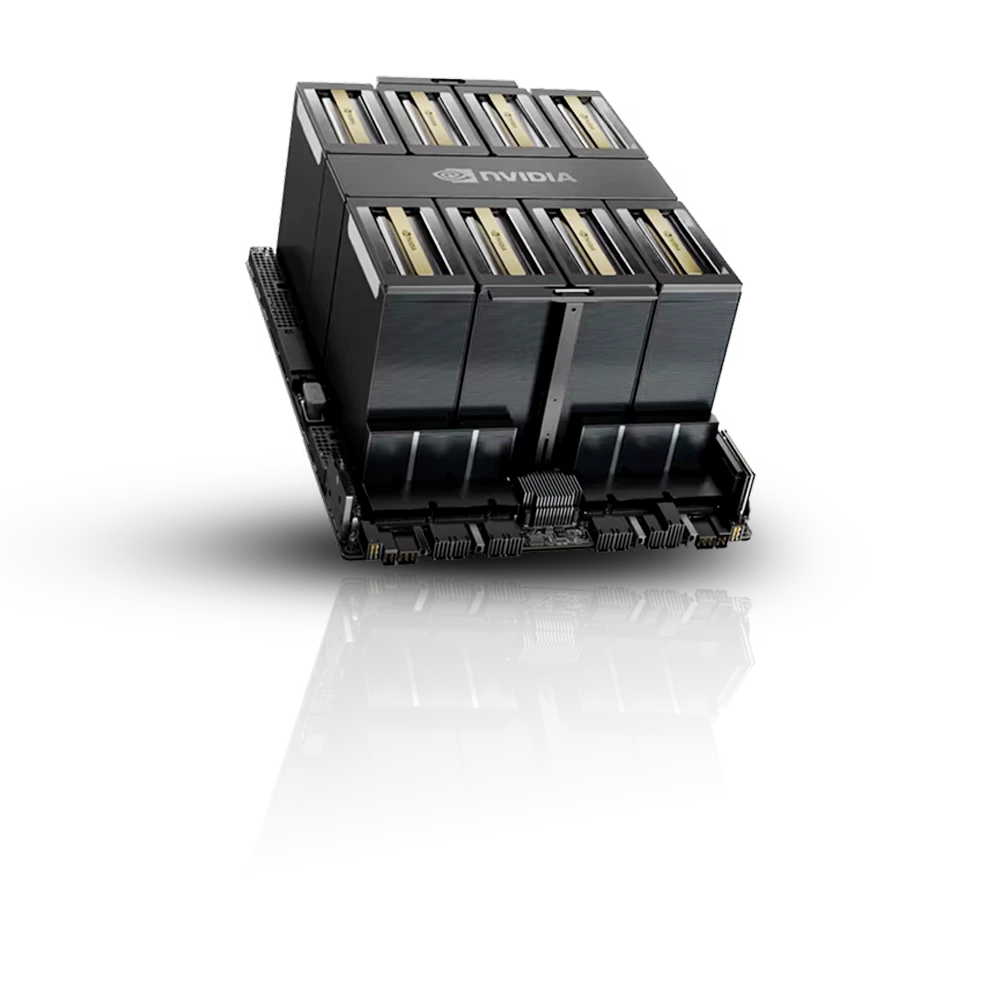
HGX GPU node
GPU generations
4
Architectures
Hopper + Blackwell
Vetted partners
20+
Quote turnaround
24 hrs
Commitment
Short / long
QUOTES IN UNDER 24 HOURS VETTED PARTNERS WORLDWIDE SHORT OR LONG TERM COMMITMENT DIRECT OPERATOR CONTRACTS CAPACITY AVAILABLE NOW PLACEMENT YOU SPECIFY
◆ THE SHORT ANSWER

Cost per token is the only GPU metric that maps to your actual bill, and almost nobody publishes it. Hourly rate tells you what a GPU costs; cost per token tells you what your product costs to run. The two frequently point in opposite directions, because a GPU at twice the hourly rate that delivers three times the throughput is a third cheaper per token. This page sets out how the arithmetic works, so you can run it against any provider's rates including ours.

+
01
◆ COST PER TOKEN

Why hourly rate ranks generations wrongly

The same hourly rate produces very different costs per token depending on context length, quantisation and whether the job fits on one GPU.

B200 at 128K, FP4
Double the hourly rate, more than double throughput
often lowest per token
H200 at 32K context
Fits without splitting, so throughput holds
low per token
H100 at 8K context
Short prompts, small model, high batch
competitive per token
H100 split across two GPUs
Same hourly rate, communication overhead added
highest per token
+
02
Where cost per token changes the decision

The comparisons this metric actually settles.

/01

Generation comparison

Compare generations on cost per million tokens at your model and context length, not on hourly rate. Frequently reverses the ranking you would expect.
Cost per million · throughput · benchmarks
/02

Fit analysis

Work out whether your model and KV cache fit in one GPU's memory, because sharding overhead raises cost per token without changing your hourly rate.
Single node · KV cache · no sharding
/03

Quantisation economics

Quantify what FP8 or FP4 buys you in throughput against what it costs in output quality, at your quality bar rather than a generic one.
FP8 · FP4 · quality trade-off
/04

Volume planning

Work out the total at your projected volume, including how commitment term and placement move the hourly rate you start from.
Volume modelling · commitment · placement
+
03
◆ LIVE NETWORK · 12 LOCATIONS

Vetted GPU partners worldwide, across every current generation.

Placement affects your rate, because power cost and generation availability differ by market. Tell us what you need and you contract directly with the operator running the nodes.

4
GPU GENERATIONS
20+
VETTED PARTNERS
12
PLACEMENT OPTIONS
24h
QUOTE TURNAROUND
USA CAN UK DEU FRA NLD UAE SAU IND SGP JPN AUS
+
04
◆ HOW IT WORKS

A matchmaker, not a marketplace.

We connect you to our vetted partners. You contract directly with the operator running your nodes.

STEP 01/4
01

Tell us the requirement

GPU model, count, placement and timeline. Add workload detail if you have it.

STEP 02/4
02

We match capacity

We find vetted partners with capacity that fits, in the jurisdiction you need.

STEP 03/4
03

Quotes in 24 hours

Real quotes from partners who hold the capacity, not listings that may not exist.

STEP 04/4
04

Contract and provision

You contract directly with the operator. We smooth the provisioning process.

below hyperscale list. Same silicon, wholesale rates.
stop overpaying for compute.
~30%
◆ RATES VARY BY GENERATION, TERM AND PLACEMENT
+
05
◆ FAQ

Frequently Asked Questions

Q1
How do I calculate cost per million tokens?

Take the hourly rate, divide by tokens produced per hour at your actual configuration, and multiply by a million. The trap is the second term: throughput varies enormously with model size, quantisation, context length, batch size and serving stack, so a figure benchmarked on short prompts will mislead you badly at long context.

Q2
Why do providers quote per GPU-hour instead?

Because hourly rate is the number a provider can state without knowing anything about your workload. Throughput depends on your model, quantisation, context length and serving stack, so cost per token is something only you can calculate accurately for your own deployment. What a provider can give you is the hourly rate and honest specifications to run the calculation against.

Q3
Can a more expensive GPU be cheaper per token?

Often, yes. On long context and FP4-quantised serving a B200 can deliver more than double an H100's throughput at roughly double the hourly rate, which makes it cheaper per token. On short prompts with a small model the H100 usually wins. This is exactly why the two metrics need comparing rather than assuming.

Q4
What has the biggest effect on cost per token?

Whether the model and its KV cache fit in one GPU's memory. Once you shard across GPUs, communication overhead cuts throughput and your cost per token rises even though your hourly rate has not changed. This is the single biggest lever available, and it is why memory capacity per GPU matters more than headline compute.

Q5
Does quantisation change the economics?

Substantially. FP8 and FP4 quantisation raise throughput and reduce memory pressure, often at negligible quality cost for production serving, and newer generations with native low-precision support benefit most. Whether that trade is acceptable depends on your quality bar, which only you can set.

Q6
How does this help me compare providers?

Wholesale rates through GPUaaS.com are quoted per enquiry, with the generation, configuration and placement stated. Cost per token is yours to calculate from those rates and your own measured throughput, because it depends on your model and serving stack rather than on the hardware alone. This page gives you the method.

◆ GET A QUOTE
Request wholesale rates

in under 24 hours.

Tell us the essentials. We'll line up real quotes from our vetted wholesale partners, and you contract directly with the operator.

Quotes in under 24 hours
Direct contact with operators
Vetted partners, matched to your requirement
20+ vetted providers · 10 regions
Contact
Full Name *
Business Email *
Organization *
Thank you! Your submission has been received!
Oops! Something went wrong while submitting the form.
GPU Requirements
GPU Model *
PRE-SELECTED
Number of GPUs *
Individual GPU count. 1 node = 8 GPUs.
Get the Best Deal
Thank you! Your submission has been received!
Oops! Something went wrong while submitting the form.